Holy Moly! It's an annoucement!!

How to install Printers

Creation date: 2025-11-21 3:09 p.m.    Updated: 2026-01-15 3:30 p.m.   papercut print printer printing

Add a Printer to Your Computer

Made by Ian Cooper with Scribe


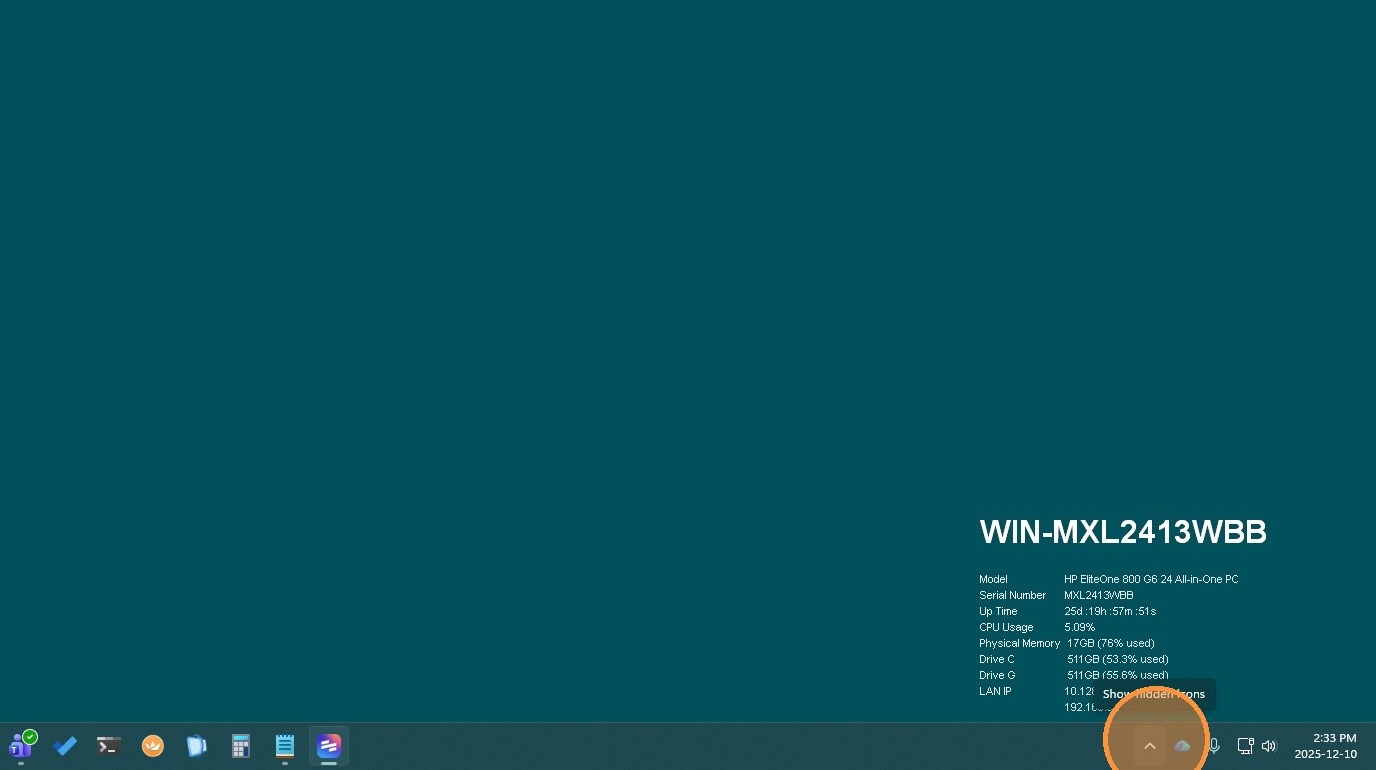
1. Click here to Show all Apps in your "System Tray"
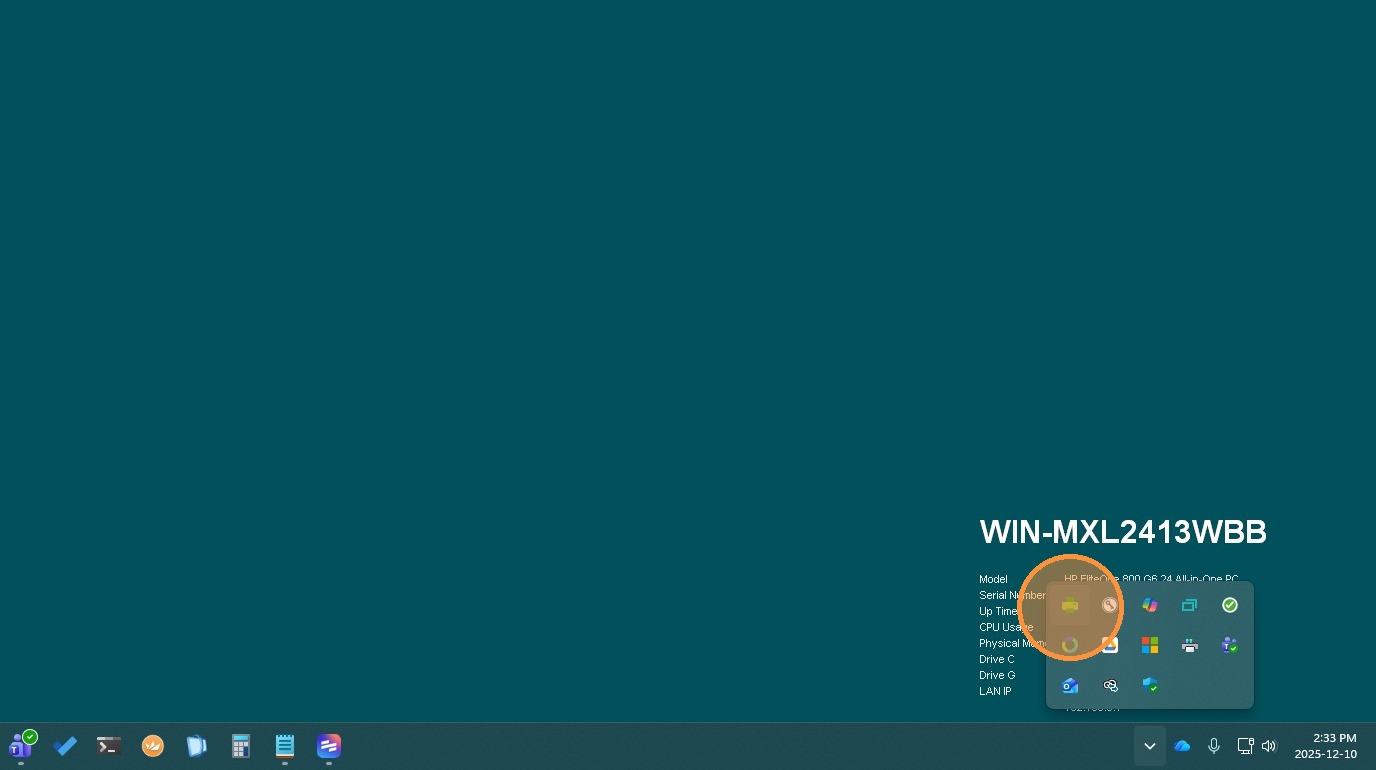
2. Right click PaperCut (Green Printer Icon)
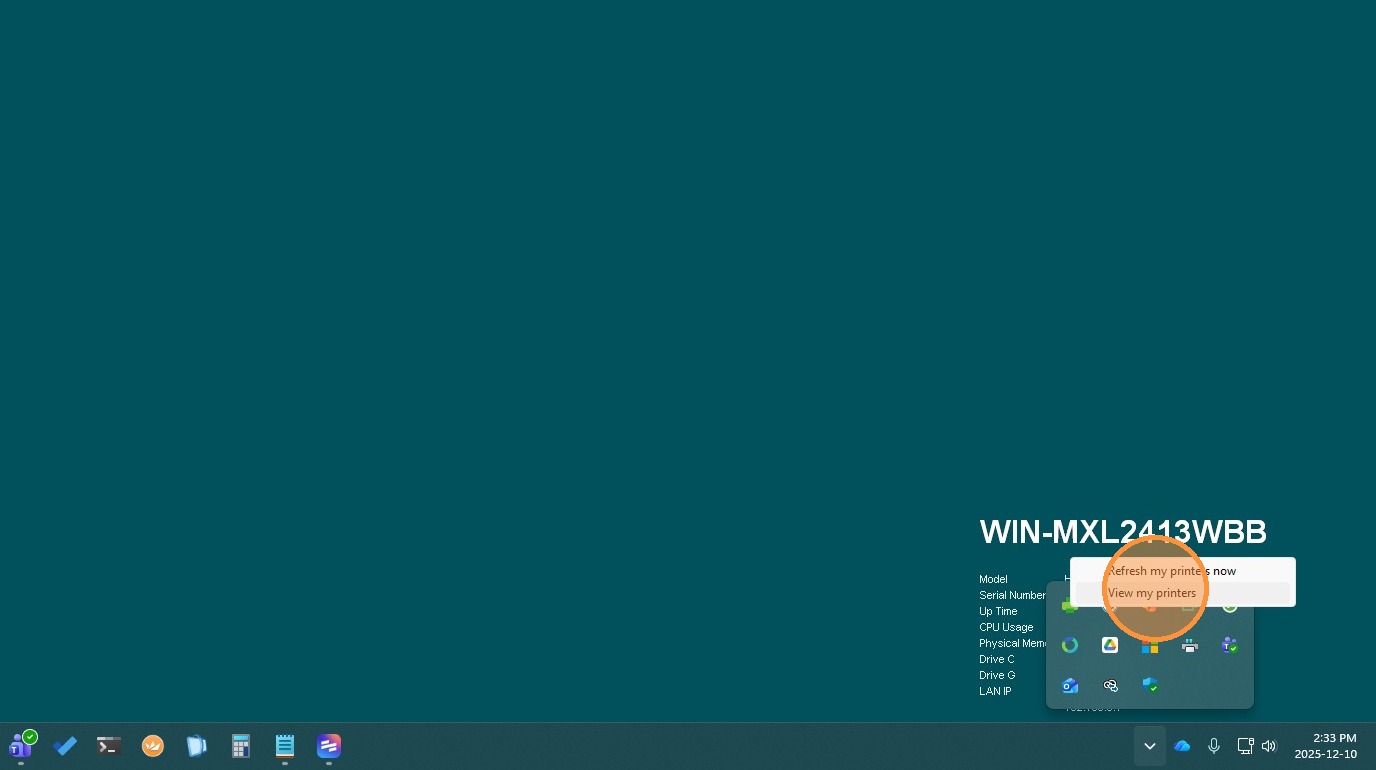
3. Click "View my printers"
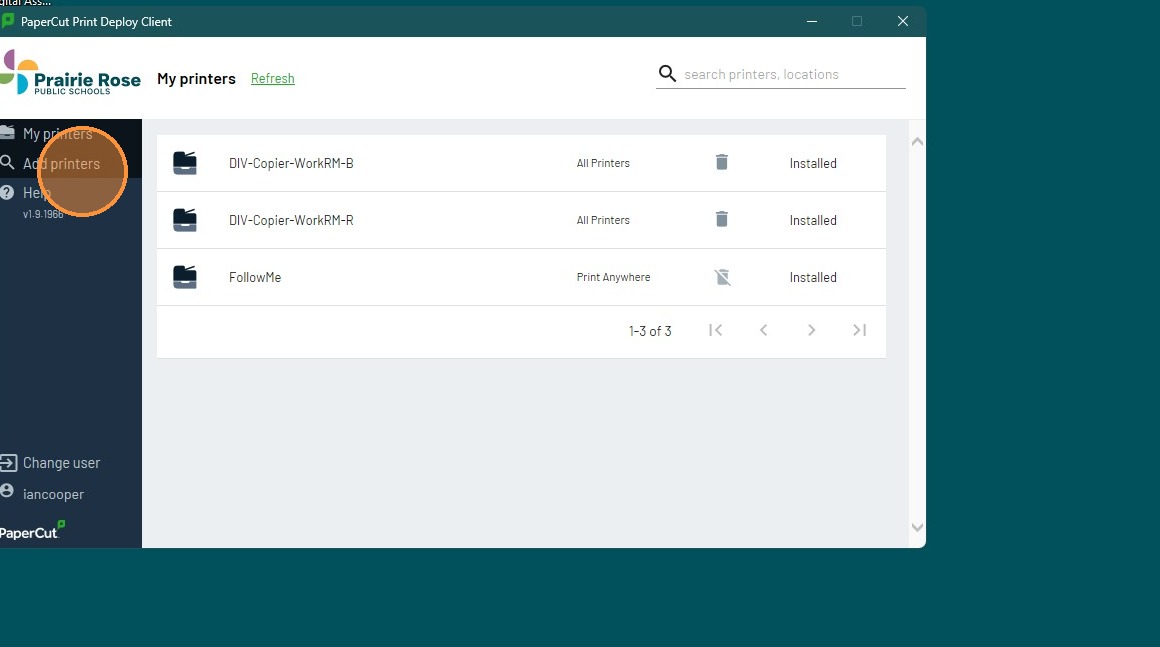
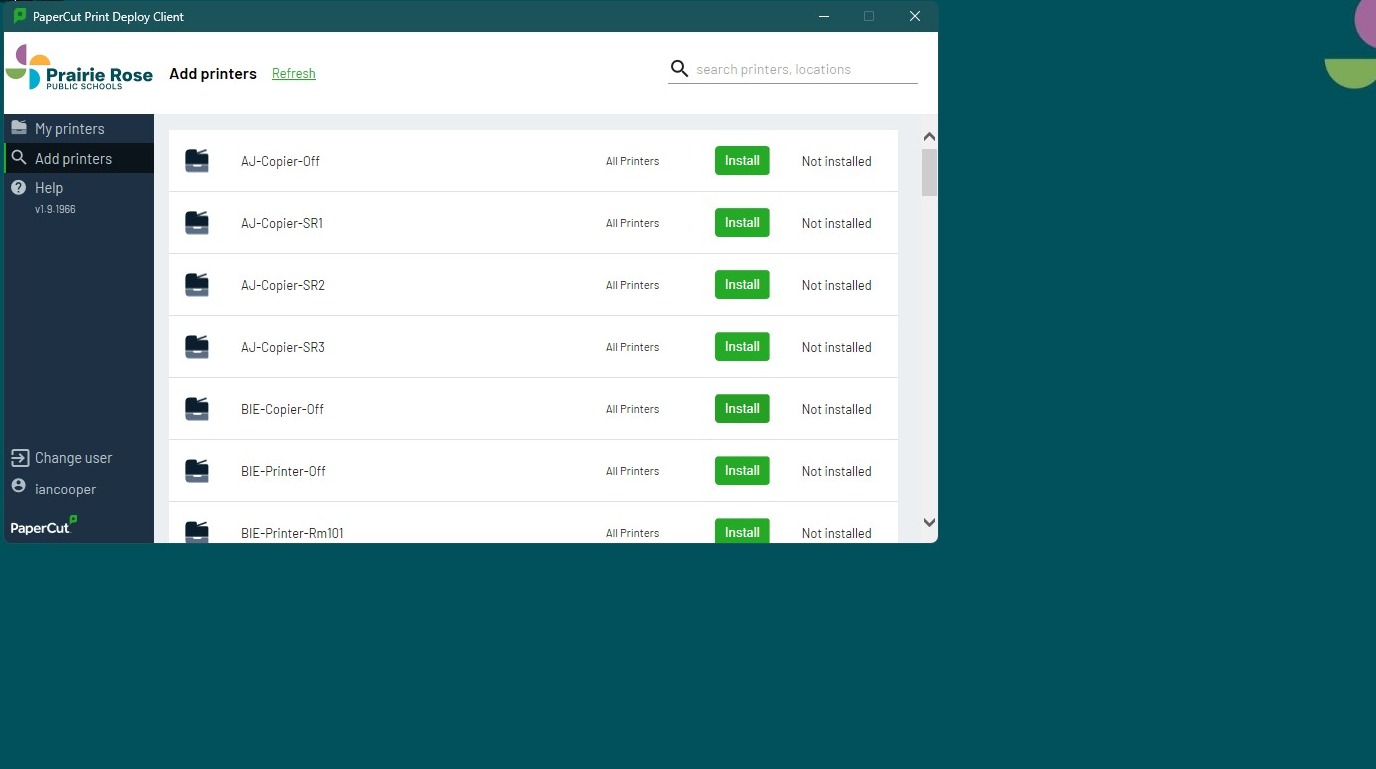
4. Click "Add printers"
5. Wait for the Printer to install

Print jobs failing, Printers not showing Papercut, scans failing or other configuration issues related to printing. Please note that our Copier vendor is responsible for issues with the copiers/printer themselves such as paper jams, toner replacement or printing errors. Contact them directly for such issues.