Helpdesk
sign in
Knowledge base
Ideas forum
Support Procedures
General IT Issue
Computers & Equipment
Student Chromebook Repair
Printing or Copier Issue
PC Accessories Issue
Logins & Accounts
Staff travelling out of Country
Student travelling out of Country
Student Account Issue
PowerSchool Products
Attendance & School Enrollments
PowerSchool SIS - General
Courses & Marks
SIS Report/Plugin/Function
PASI Related / Core Alerts
PowerSchool SIS Portal (Parent,Student,Teacher,Sub)
PowerSchool Enrollment
Apps, Websites & Cloud
App Issue
App Installation
Audio & Video
Interactive Flat Panel Issue
Communications & Social Media
Graphic Design and Branding
Exams
Exam Setup Assistance
Phones & Bells
Desk Phone Issue
MacOS: Adjusting Keyboard Language Layouts
Creation date: 2026-04-22 11:24 a.m. Updated: 2026-04-22 1:02 p.m.
keyboard
languages
layout
macos
More...
Print...
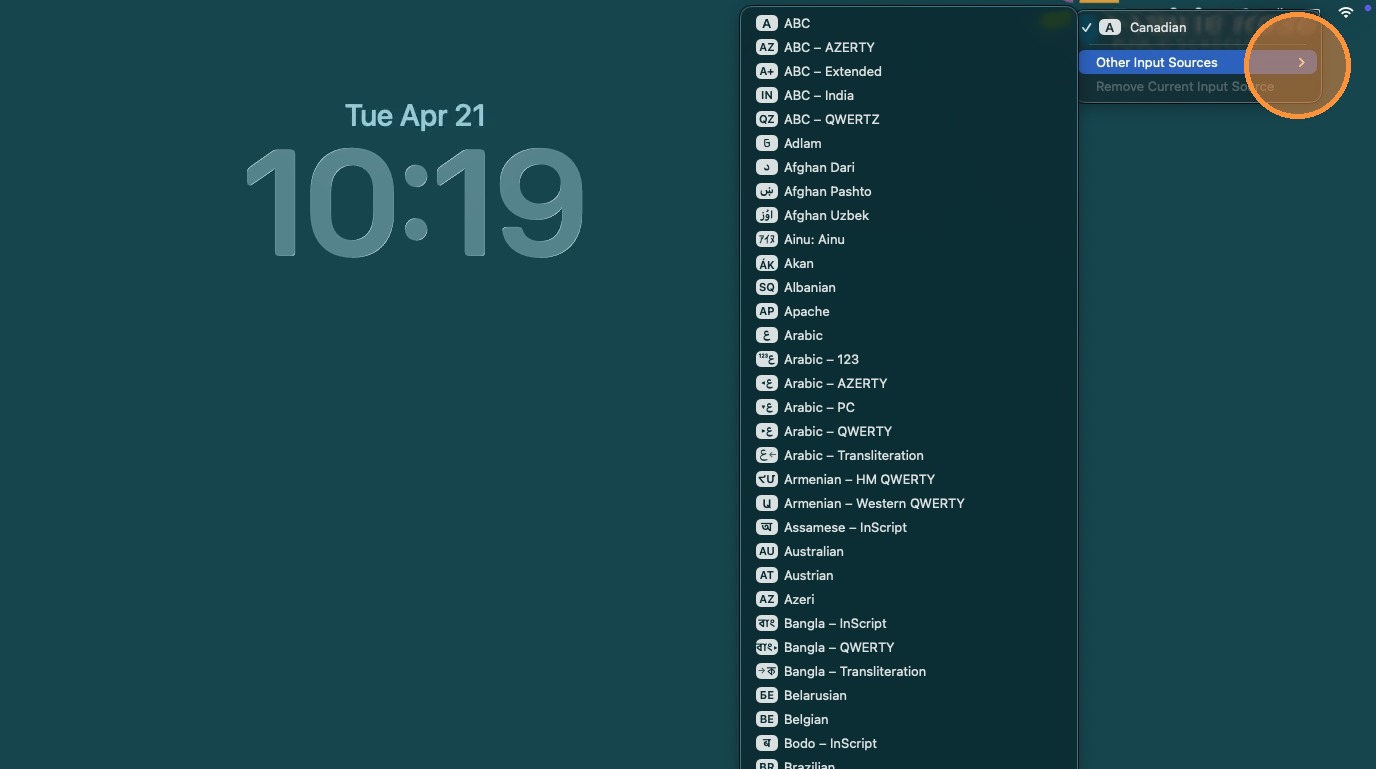
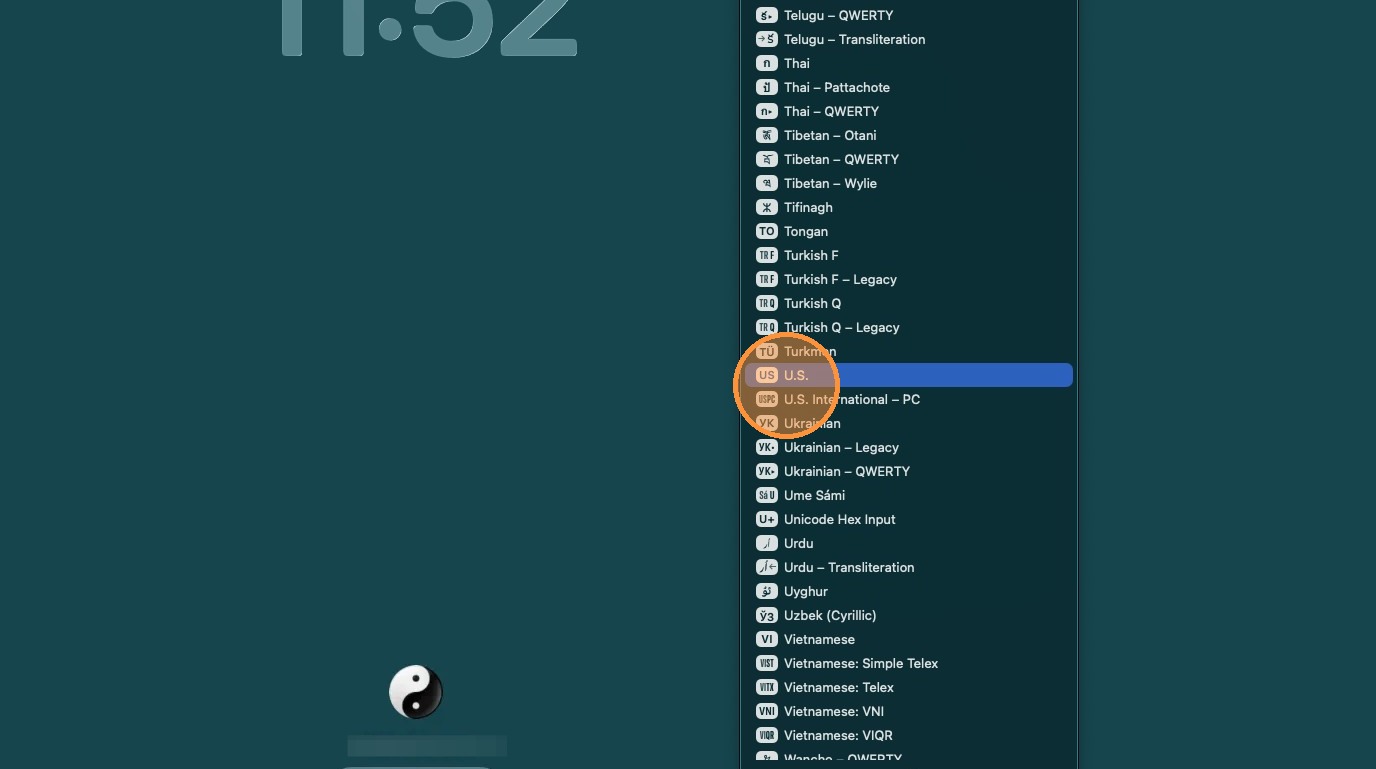
MacOS: Choosing Login Screen Keyboard Layout

1. Select Keyboard Icon
2. Click "Other Input Sources".
3. Choose Keyboard Layout
For any IT issues that don't fit neatly into a Category
On this page