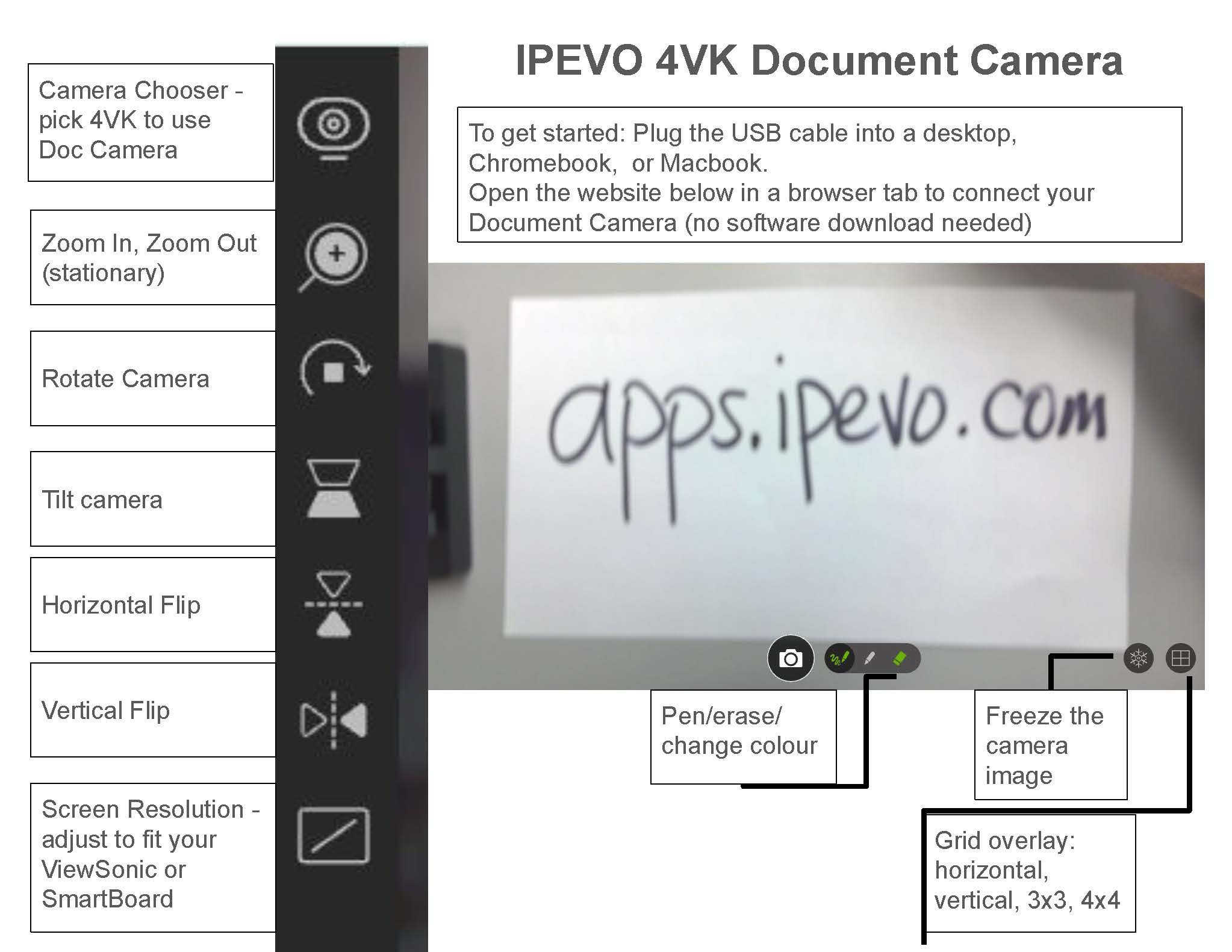
IPEVO V4K Document Camera Setup Guide
Creation date: 2026-05-04 9:32 a.m.
Updated: 2026-05-04 10:21 a.m.
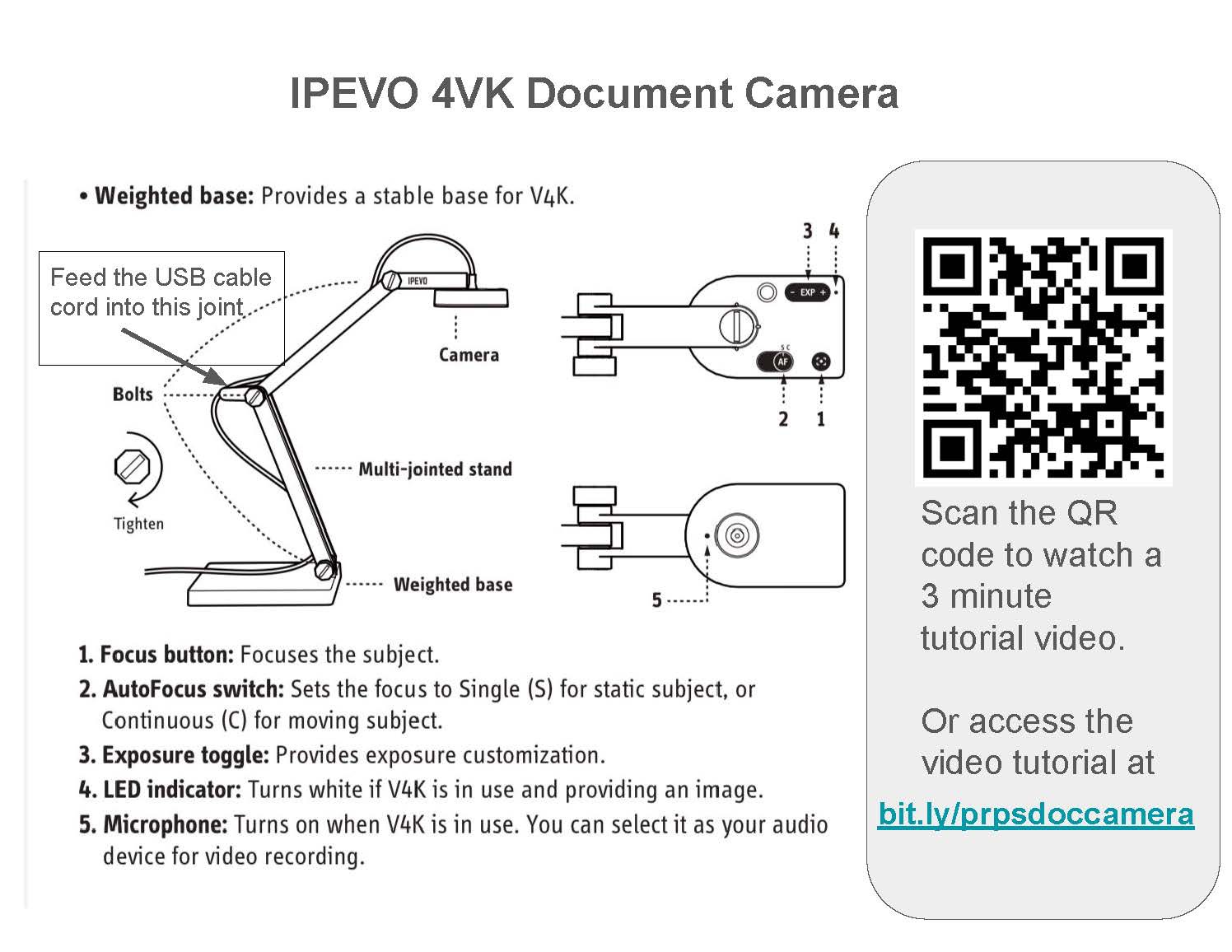
This document provides instructions for setting up and using the IPEVO 4VK Document Camera, including hardware setup, control functions, and accessing the tutorial video.
1. Feed the USB cable cord into this joint.
1. Feed the USB cable cord into this joint.
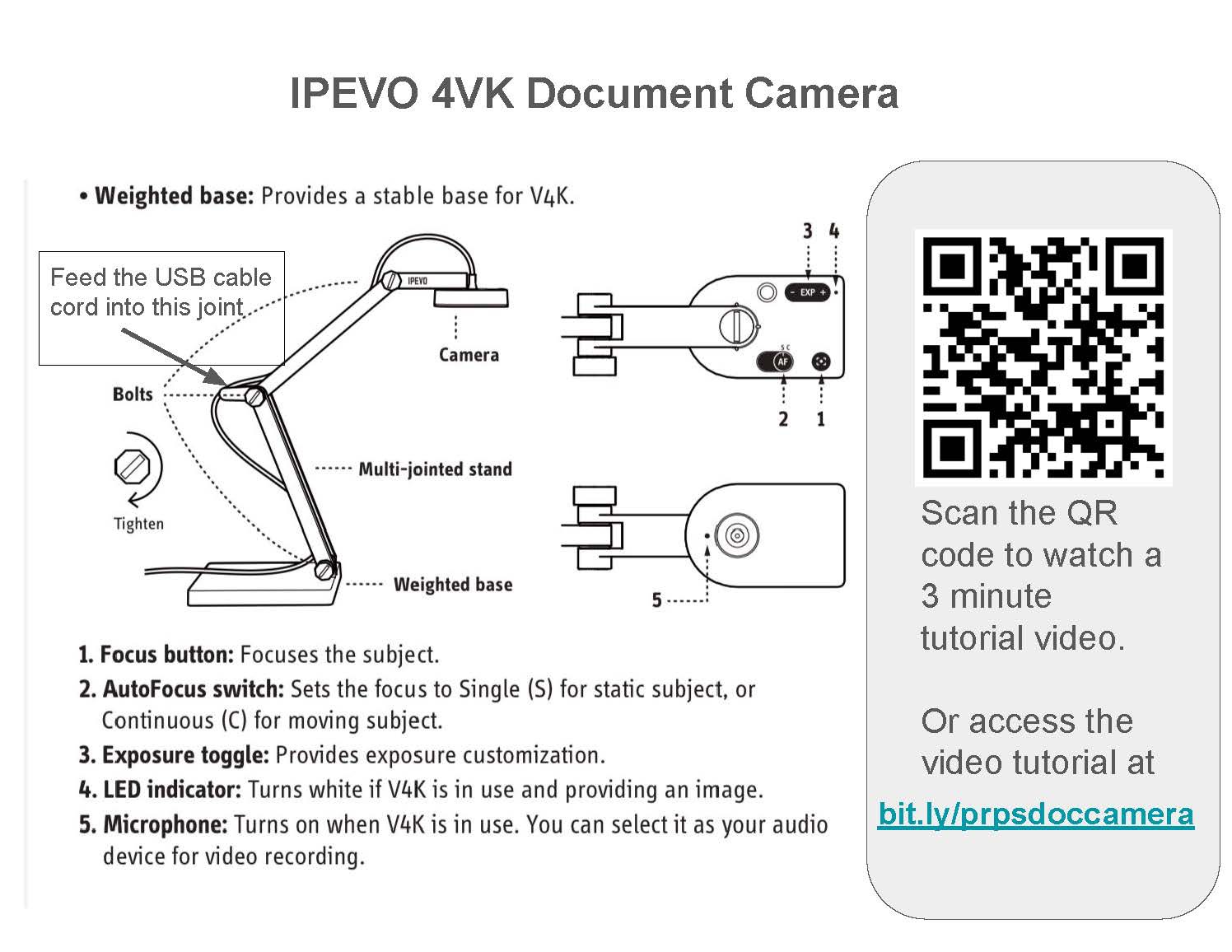
2. Scan the QR code to watch a 3 minute tutorial video. Or access the video tutorial at bit.ly/prpsdoccamera.
3. To get started: Plug the USB cable into a desktop, Chromebook, or Macbook. Open the website below... (no software download needed)